How to Easily Add Voice Moderation to Your Photon Voice Game: Unity, Unreal, and Custom Engines
Why voice chat moderation matters in multiplayer games
Voice chat is a big part of what makes multiplayer games fun, whether it’s a shooter, co-op, RPG, or party game. But it’s also where toxic behavior is hardest to catch. You can filter and log text, but voice is live and disappears as soon as it’s spoken.
Players rarely report voice abuse, and when they do, there’s usually no recording to review and the report comes days too late. Plus, fewer than 1% of severe violations get reported. Studios usually learn about problems through reviews, social media, or when players leave.
Most studios we talk to reach this point as their game grows. Matchmaking puts strangers together in lobbies and matches, so the community team needs a way to know what’s happening in voice chat without listening to every conversation.
Does Photon Voice have built-in moderation?
Photon doesn’t offer its own voice moderation service. Instead, Photon Voice lets you connect securely to moderation providers. VoicePatrol is one of the providers listed in Photon's Voice moderation documentation: https://doc.photonengine.com/voice/v2/reference/voice-moderation
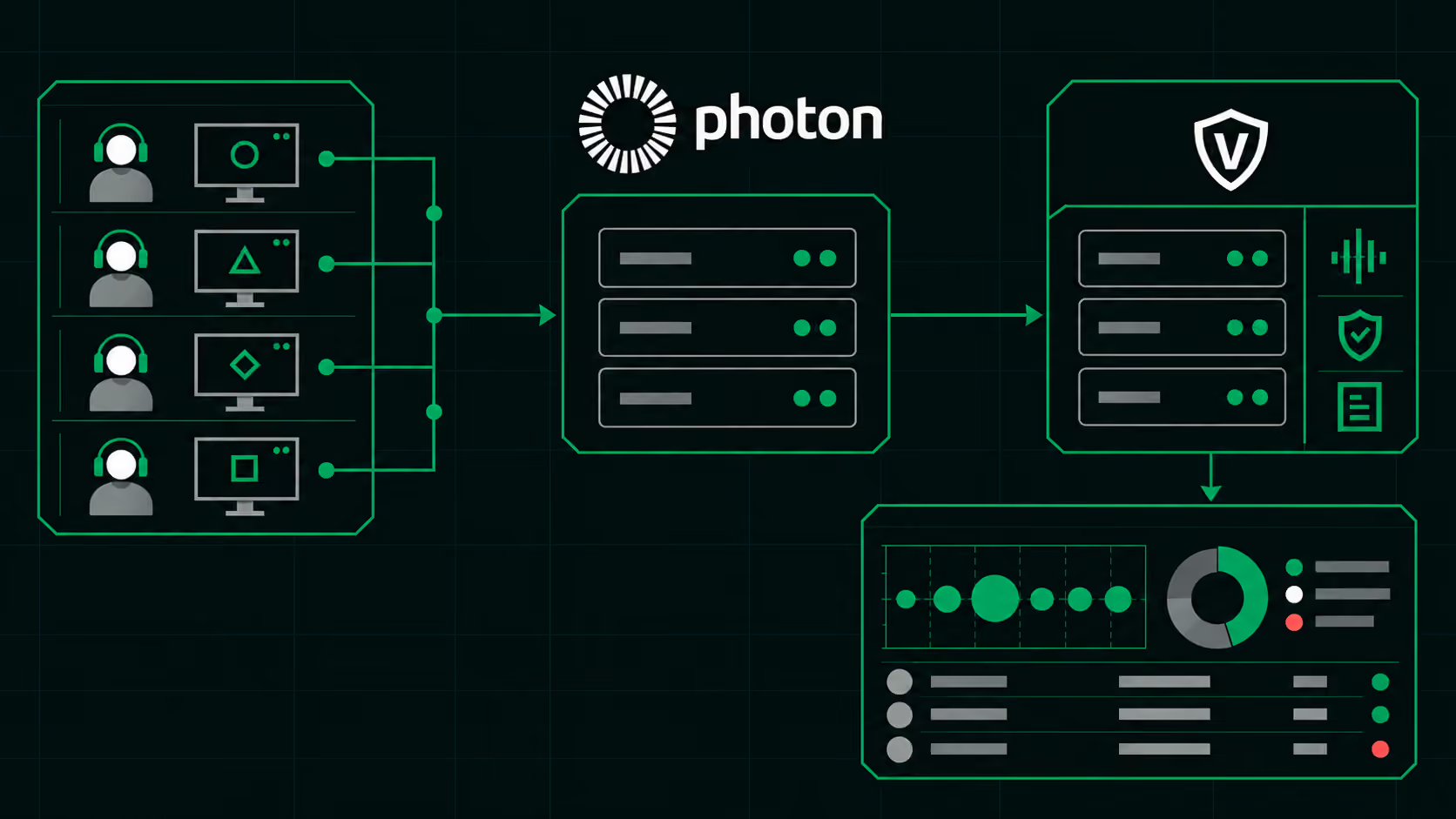
In practice, you simply keep using Photon Voice as usual and connect VoicePatrol through the Photon Dashboard.
How VoicePatrol works with Photon Voice
VoicePatrol is a real-time voice moderation platform made for multiplayer games. It listens for harmful voice chat and flags it right away. Callbacks let your game act automatically in the moment, such as muting a player, and a dashboard lets your team review what was said and decide what to do next.
Quick start guide with Photon Voice:
- Sign up for VoicePatrol and copy your API key from your VoicePatrol account.
- Open your Photon Dashboard, which is a separate account, and enter the key to enable VoicePatrol as your moderation provider.
- No extra SDK work is needed on the Photon side.
- Flags show up in the VoicePatrol dashboard within seconds.
Note: You need a paid Photon Premium Cloud plan to turn on voice moderation forwarding.
What your team can do with it
Detection only matters if you can act on it. VoicePatrol lets your game respond automatically in the moment and gives your team the tools to review and follow up:
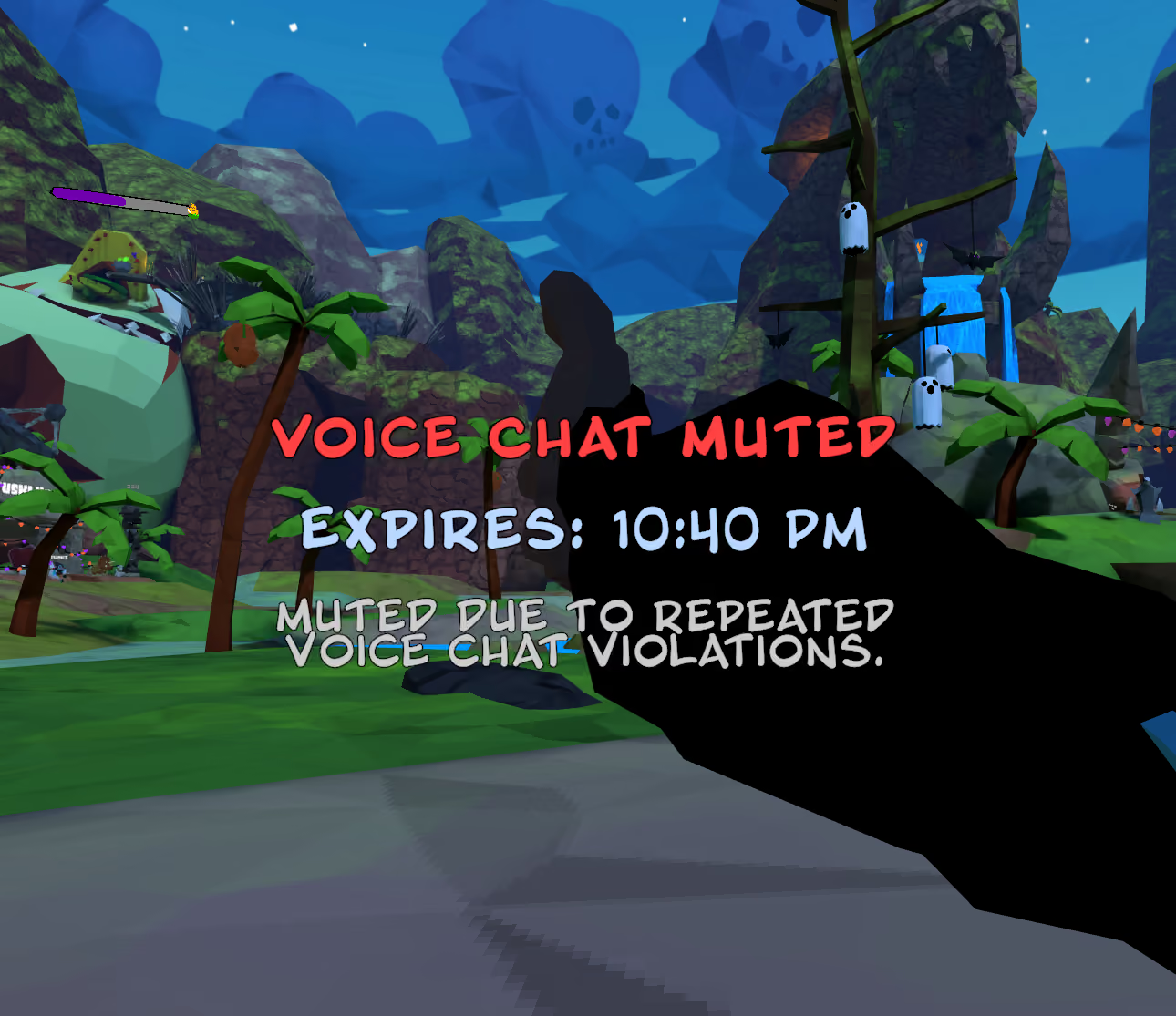
- Act in real time. Callbacks let your game take action automatically, such as muting a player, as soon as something is flagged.
- See which players were flagged and what was said.
- Review the audio evidence behind each flag.
- Match the response to how serious the behavior is. A minor slip isn’t the same as a threat.
- Watch for patterns over time, so a few repeat offenders don’t ruin the experience for everyone else.
Getting started in Unity or Unreal
If you build with Unity or Unreal Engine, we have quick start guides and full API references on our resources page, along with Photon Voice code snippets for both engines. Using a custom engine? Get in touch, and we'll walk you through it. https://www.voicepatrol.dev/resources
Here’s a good order for most teams:
- Start with your existing Photon Voice project.
- Connect VoicePatrol using the quick start for your engine.
- Test in a small lobby with your own team.
- Open the dashboard and look at what comes back.
Want to try it in your game? VoicePatrol offers a free 2-week audit.
Frequently asked questions
Does VoicePatrol work with Photon Voice 2 and Photon Fusion 2?
VoicePatrol is listed as a supported provider in Photon's Voice moderation documentation.
Do I need to change how my players use voice chat?
No. Players use voice chat just like before. Moderation works in the background.
Which game engines are supported?
Unity and Unreal Engine, with quick start guides for both. VoicePatrol also works with custom game engines.
Who is voice moderation for?
Any multiplayer game with voice chat, especially games where matchmaking puts strangers together. Game studios, game developers, and community managers usually all have a stake. It applies to any genre where players talk to each other, from shooters and co op games to social and party games.
How do I reduce toxic voice chat in my multiplayer game?
Start by finding out what’s really happening in your lobbies. Real-time voice moderation flags harmful behavior as it happens, so your team can act on repeat offenders and keep the community welcoming for everyone.
Talk to us
If you use Photon Voice and want to add voice moderation to your game, we’re ready to help you get started.